
Projects, compositions and the right-side plus
Build a sequence of shots, add the next project and reorder the composition visually.
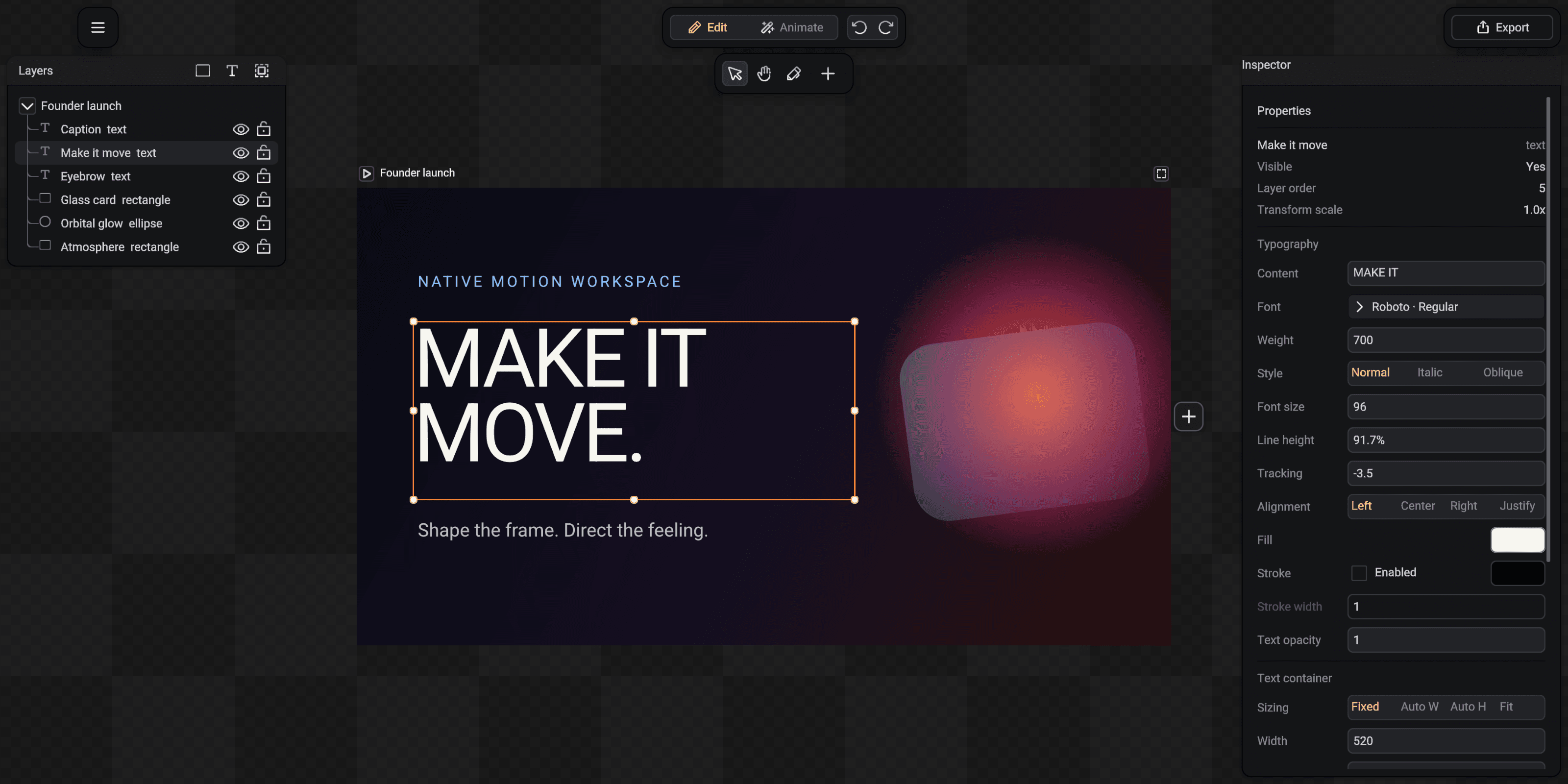
A composition is an ordered chain of projects. Each project stays independently editable, while playback and export treat the chain as one continuous sequence.
Understand the right-side plus
The plus beside the final project creates the next project in that composition. The new project inherits the current project size, background and timeline settings, then appears to its right with a small gap.
This is different from the Add button in the top toolbar. The toolbar Add creates a layer inside a project; the plus on the project edge creates another project in the sequence.
- 1Project title and play control
- 2Selected project frame
- 3Add the next project
Select a project or the composition
Click a project frame to edit its project-level properties. Select the composition when you want continuous playback, composition-wide animation visibility or one delivery file for the complete sequence.
The Export button follows this selection. It describes whether it will export a project or a composition before opening the window.
Reorder shots in realtime
Drag the reorder handle beside a project title. When the dragged project crosses the center of a neighboring project, the neighbor moves aside and previews the new order.
Release to commit the order. The sequence link changes, but the contents and animation of every project remain intact.
Focus without hiding the design
Use the project focus control to fit the complete frame into the unobstructed canvas area. SceneLoft accounts for the Layers and Inspector docks so the project does not disappear underneath them.
Zoom and pan are view operations only. They never alter project dimensions or exported pixels.